BBSC 303 Lecture / Workshop
Theme for the session: learning to relax ... and solve the problem.
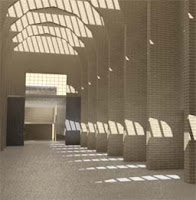
CAD models of buildings built and unbuilt. Reality and unreality. Visualisation, auralisation and other VR experience of the built environment.
Theme for the session: learning to relax ... and solve the problem.
Posted by
the_donn
at
Wednesday, May 27, 2009
0
comments
We spent a good chunk of the lecture reviewing the structure of a good web site that responded to the brief for the web project. The key was that the navigation should be simple, clear and focus on issues to do with making the model of the museum, not on the "assignments" or "tutorials" completed.
Posted by
the_donn
at
Tuesday, May 26, 2009
0
comments
3dsmax mental ray Setup Workflow (similar workflow lightstudio, different daylight systems and materials)
1) Setup your units. Make sure you are working in real world units.
2) Import your model (via FBX for Revit). Check the units (Measure tool under the tools tab)
3) Create a Arch & Design (mi) 'matte' material (from the template), 50% grey. Apply to the entire scene.
4) Hide the glazing in your windows, or create a Arch & Design (mi) 'Glass: Thin Geometry' material (from the template)
5) Create a Daylight system. Say yes to both questions when asked.
6) Make sure the Compass Rose is not too big, and do not drag the daylight system out too far from the scene. Keep it small,just twice as high as your buildling.
7) Setup the correct location for the daylight system. Change the day and time to something suitable.
8) Set up your camera views.
9) Go to Exposure settings and change exposure pre-sets to 'Physically Based Lighting, Indoor Daylight'
10) Bring up the render dialog box. Set render size to 320 x 240. Turn on finalrender and set to Draft. Set image anti-aliasing to Draft (Min 1/64, Max 1/4).
11) Render.
12) Adjust the sun position. Change the time in the daylight system until the sun is in the correct position. Re-render and repeat until satisfied.
13) Adjust your exposure. Go to Exposure settings and again and change the exposure setting (Exposure Value (EV)) and click Render Preview. Adjust the exposure setting until satisfied.
14) Create your materials for your walls and floor.
For gib painted walls create an Arch & Design (mi) 'matte' material (from the template) with 80% white. This is the reflectance value real white walls.
For a wooden varnished wall, use Arch & Design (mi) 'Satin Varnished Wood' material (from the template)
15) For the rest of the scene, use ony Arch & Design (mi) or ProMaterials. There are ProMaterial libraries you can load with a wider range of pre-defined realistic materials
16) When doing final renders, increase the render size, anti-aliasing the final render quality.
Useful Keyboard Shortcuts
F10 Render Dialog
F9 Re-render last
F12 Transform Type-in Dialog (move, rotate, scale)
M Material Editor
H Object Selection
Q Select
W Move
E Rotate
R Scale
Alt-Q Isolate Current Object
Shift-W Turn off navigation wheel
Ctrl-D De-select current selection
Space Lock selection
Posted by
the_donn
at
Friday, May 08, 2009
0
comments
Procedural issue covered (from Light Studio / Advanced / Materials tutorial online at the course info web site):
Posted by
the_donn
at
Saturday, April 11, 2009
0
comments
Lecture April 1
Topics covered:
Set up a consistent underlying structure for the collaboration:


Posted by
the_donn
at
Saturday, April 11, 2009
0
comments
The lecture today trawled through the concept of Web 2.0: A google 'define': search produces the following Wiktionary definition: "The second generation of the World Wide Web, especially the movement away from static webpages to dynamic and shareable content".
The original Web 1.0 was invented by Tim Berners-Lee at CERN in the early 1990's. The arrival of Mark Andreesen's Mosaic web browser around the same time created accessible content: the first mix of text and images on the web, proving to be so powerful a trend that it "made the front page of the New York Times business section".
Examples of interactive web sites discussed are:
Flickr
Twitter
Blogger
del.icio.us
Technologies that are useful in the Web 2.0 world include RSS (Really Simple Syndication) feeds and folksonomies built on simple tags [A tag is a non-hierarchical keyword or term assigned to a piece of information (such as an internet bookmark, digital image, or computer file). This kind of metadata helps describe an item and allows it to be found again by browsing or searching. ..]. The highlighted links at the top left edge of the BBSC 303 Digital Craft Course Information web page is constructed from an RSS feed reporting my Google (RSS) Reader subscriptions under the label 'architecture'. Just below this is a feed of my most recent del.icio.us links.
Other interactive web sites / services include:
facebook
myspace
bebo
In addition, we watched a couple of youtube videos:
Posted by
the_donn
at
Wednesday, March 25, 2009
0
comments
Labels: BBSC 303, Lecture, semantic web, Web 2.0
The lecture on Tuesday 17 March and the tutorials on Thursday 19 March focused n file translation issues between the different original file formats in CAD and the 3DS Max file formats.
| CAD | 3DS Max 9 for LS | 3DS ax 2009 for mr |
| Archicad | Export to .dwg: import via Legacy dwg | Export to 3ds; import |
| AutoCAD | import via Legacy dwg | import via Legacy dwg |
| Revit | export to dwg. import via Legacy dwg | export to fbx; import via fbx |
Posted by
the_donn
at
Sunday, March 22, 2009
0
comments
Labels: BBSC 303, file export / import, Lecture
The strategies for completing a rendering - a summary of the approaches that need to be adopted to Render within Max.
Basic concepts (summarised from tutorials):
Posted by
the_donn
at
Sunday, March 22, 2009
0
comments
Topics covered in the lecture:
The Course Objectives
The Tasks to be completed to meet these Objectives
Posted by
the_donn
at
Sunday, March 22, 2009
0
comments
Visual Styles in Autocad - there is a video on how to do them a a pdf on how to set up a style on the R:\BBSC\Course_Material\BBSC303\autodesk_adt drive - another way of doing the CAd program render and exploring possibilities...
Rendering softer images like this is also possible in Archicad - there are help files and tips on the use of Archicad on the R:\BBSC\Course_Material\BBSC303\archicad drive
Quicktime movie sun studies in Archicad / Viz are easy / Revit - and count as one render
Right Hemisphere 3D insert files in pdf (v5 will be installed very soon)
Warn people about impact of your choices:


Posted by
the_donn
at
Tuesday, May 29, 2007
0
comments

Today Justin presented his Light Flow meter research with a request that one of your Light Studio renders is run with the light flow meter (see above from Kit Cuttle's book on Lighting) inserted into the picture taking up 30% of the view... AND the RTRACE render commands are followed to calculate the light intensity on each of 6 cardinal points of the white sphere.
Posted by
the_donn
at
Friday, May 25, 2007
0
comments
Labels: BBSC 303, Lecture, light flow meter, Render
The topic was examining images from the past to develop a plan to present well.
We talked about:
Ensuring that the images presented in the final render set developed a theme about the building. The goal was to try to focus on presenting in images some form of narrative that enhanced your reader/viewer's knowledge of the building or of the process of modelling or of the process of rendering... Examples that were presented of acceptable foci for a themed page were:


Posted by
the_donn
at
Thursday, May 17, 2007
0
comments
More video watching - this time extracts from Kirby Dick and Amy Ziering's documentary about Jacques Derrida.
Specifically:
Posted by
the_donn
at
Monday, May 14, 2007
0
comments
Favicon - How To Create A Favicon.ico | PhotoshopSupport.com
This is one of the topics we covered briefly in the lecture on Tuesday: how to create one of those favicons that appear in the navigation bar of IE7 and Firefox?
The explanation here is of using a Photoshop plugin to create an icon in the correct format - so far so good. But then, most usefully, there is a discussion of how to handle the html to make that icon appear in the place(s) it should...
Posted by
the_donn
at
Wednesday, May 09, 2007
0
comments
Labels: Lecture
Concepts covered in class today:
Global Illumination and Final Gather in Mental Ray
Posted by
the_donn
at
Wednesday, May 02, 2007
0
comments
Today we watched the end (New York onwards) of the magnificent 'Vision of light' DVD about Cinematography.
Then we discussed editing by contrasting the editing efforts in the car chase scenes of The Italian Job (1968), Bullitt (1969), The French Connection and Ronin.
Next week we will compare a scene from Luc Bresson's La Femme Nikita with the exact same scene from Assassin (Point of no return) by John Badham.
We concluded by examining how backburner can be of assistance in speeding up rendering.
Posted by
the_donn
at
Monday, April 30, 2007
0
comments
Tuesday 24 April 2007
Notes to a lecture:
Significant time was devoted to working through the example of making the label cloud generator on the class blog work by solving the clues offered by the misbehaviour: the solution was to identify what were relative and absolute link web addresses for the label cloud generator program.
We also went through again, how the blogging process is meant to provide a structure from which to build a final hand in for assignment 2. I referred people to the web areas of the www.reasonate.co.nz projects from last year... Good examples of web pages can be found from the people who did the de Young Museum - Arles Archaeological Museum - Federation Square. Ultimately the process of reporting in one place what you have done and how you have organised yourselves ought to be no more than collecting together the folksonomy tags / labels you have generated.
We noted the importance, now the tag cloud is generating, of yusing and defining tags that make sense to your group for later use by you in reporting how YOU organised yourself in relation to the group.
We touched on the ABSOLUTE NEED to attribute your sources and to remember the concept of fair use and also to remember to attribute all sources on your web site in teh same manner as you would in an academic essay. NOTE: not all references need be electronic. It is entirely OK to publish the source as the name of a journal / book...
We also touched in some length on the output requirements in terms of rendered views of the building. Some will be in Light Studio; some in Mental Ray. Some will be interactive in the manner of the Quicktime VR output of the tutorial, but some will also be interactive using the type of technology that Right Hemisphere offer through the Deep Exploration / Deep Publish software we have in the school. The latter acts more like an interactive game engine built into the web browser allowing people to walk through your design... In this latter case, the Render to texture ('baked' textures) Viz render option will be the most useful.
Posted by
the_donn
at
Thursday, April 26, 2007
0
comments
Labels: BBSC 303, Digital Craft, Lecture
First activity - watch first seven sections of Visions of Light - a DVD on Cinematography from the Film Institute in the USA.
Second - review the voice over commentary of the start of Citizen Kane - the importance of light and shade, plus the use of the lighted window to link cuts / fades in the intro.
Third - the start sequence of Blade Runner
Fourth - reviewed the videos produced by the students in 2004 and 2005
Fifth - worked through several storyboard examples to understand how to document the planned video
Sixth - explored the nature of the type of presentation to be produced at the interim hand in stage after Easter when we will be presenting our ideas to the Music School's composition students.
Seventh - examined the role sound / soundscapes / music plays in movies - diagetic / non-diagetic - cut on action - sound as the means of transition between scenes...
Posted by
the_donn
at
Tuesday, March 27, 2007
0
comments
Global Illumination - reviewing what it is and how to do it in Viz using Light Studio and Mental Ray was the pedagogical goal...
The reality?
We addressed the issue of Simulation, Simulacra, Reality and 'Hyper-reality' - more by reference to the issue of perception and the goals of communication via the image - than by a full review of Baudrillard (Wikipedia ref) or of the hyper-reality of Virtual Reality and High Resolution images.
The basic message was that the focus of image making in the course ought to be on communication of a story NOT merely on some highly detailed, high contrast, ray-traced-within-an-inch-of-its-life image. Contrasting images from Final Fantasy with images from Shrek is highly revealing of this. In the former, the focus and the hype of the original release was about the amount of time spent modelling Dr Aki Ross and the realism of the hair, skin and eyes. The truth is that the non-realistic rendering of the characters and the scenography in Shrek is far more involving of the audience, has far more character development pathis and humour. What is important in Shrek is a focus on the story - not the technology. The same should apply to every image produced in the course.
In addition, we reviewed again the tutorial 'Comparing Rendering Techniques' particularly the portion about the use in computer Graphics of bump, opacity and displacement maps. These can be used in normal scanline rendering in Viz. To produce realistic materials in Light Studio one cannot use these techniques - rather one must use special Light Studio materials with applied 'procedural' files that allow far faster rendering than the map approach.
The bulk of the lecture content was focused on the phenomenon of Global Illumination - a means of calculating light distribution in a space. Photon mapping, Backwards and Forwards Ray tracing and Radiosity were all described briefly.
At the end, the ability of the Deep Publish plug in within Powerpoint, Word and Excel to import 3D files so they remain interactive was demonstrated briefly.
Posted by
the_donn
at
Tuesday, March 27, 2007
0
comments
Information covered today:
First we checked out another cool example of a Web 2.0 mashup at twittermap and I fluffed around wondering what possible use it could be even though it was instantaneously showing the street addresses of the people who were using twitter.com to described what they were doing 'right now'
The lecture really began with with two presentations by 'guests' - videos from the web, illustrating the value of / potential of Web 2.0:
the first was a video about the importance of digital text - and its definition(s) - Prof Michael Wesch author - found here on his Digital Ethnography web site and here at youtube.
the second was a presentation in Lawrence Lessig style by Dick Hardt of Sxip on the nature of Identity - proof of identity - identity documentation / verification etc in the 'real' world (Identity 1.0) and in the digital world (Identity 2.0) - found here at youtube (NOTE: there is more on the Lessig style at Presentation Zen.
We finished the first hour on issues of quality control in web publishing - covering topics such as:
Posted by
the_donn
at
Wednesday, March 21, 2007
0
comments

|
|
| Digital-Craft |
| Link to Digital Craft discussion Group summarised here |